Step-by-step guide

Funder-ready statements from your own records

A monthly income statement and 3 year projection, built from what you capture in Quick Accounting. Here is how to request it, check it and download it for your application.

Before you start: capture your invoices, expenses and bank statements. The more months you capture, the more accurate the report.
Step 1

Open the Statements Dashboard

Open the Quick Menu and choose Statements Dashboard. From there you can request a report, follow your requests and open finished reports.
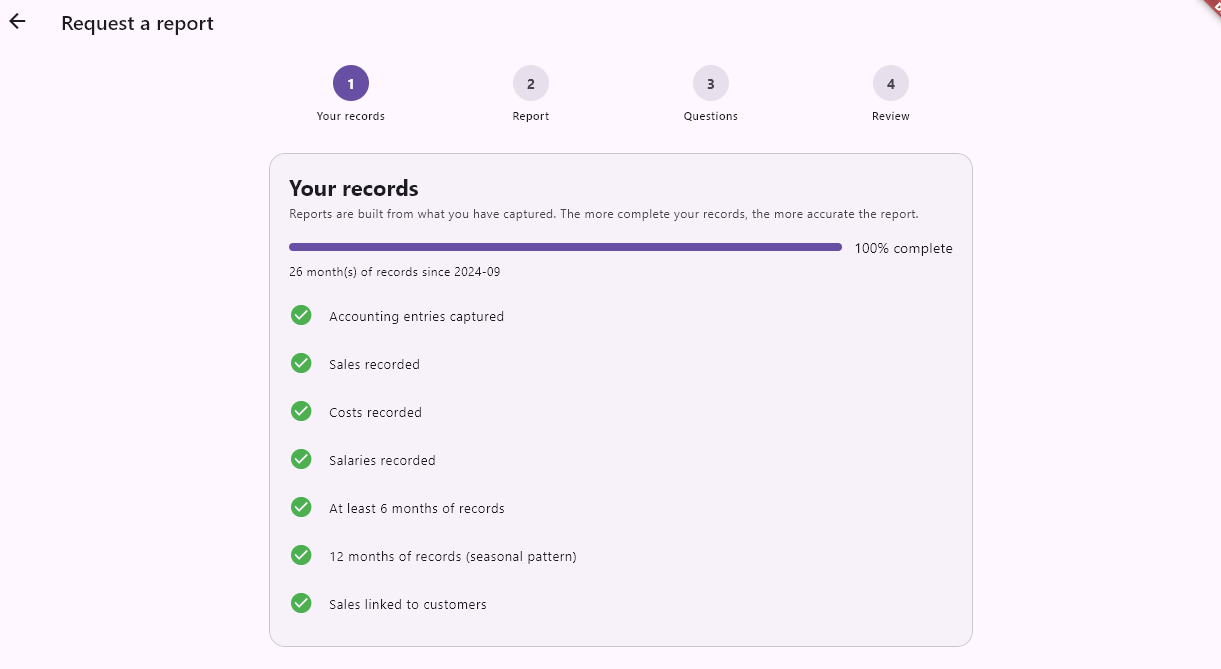
Quick Menu with the Statements Dashboard
Step 2

Request a report and check your records

The first screen checks what you have captured: sales, costs, salaries, months of history and customers on invoices. Then choose your country and report. For a funding application pack, pick the funder and programme too. Answer the optional questions, review and submit.
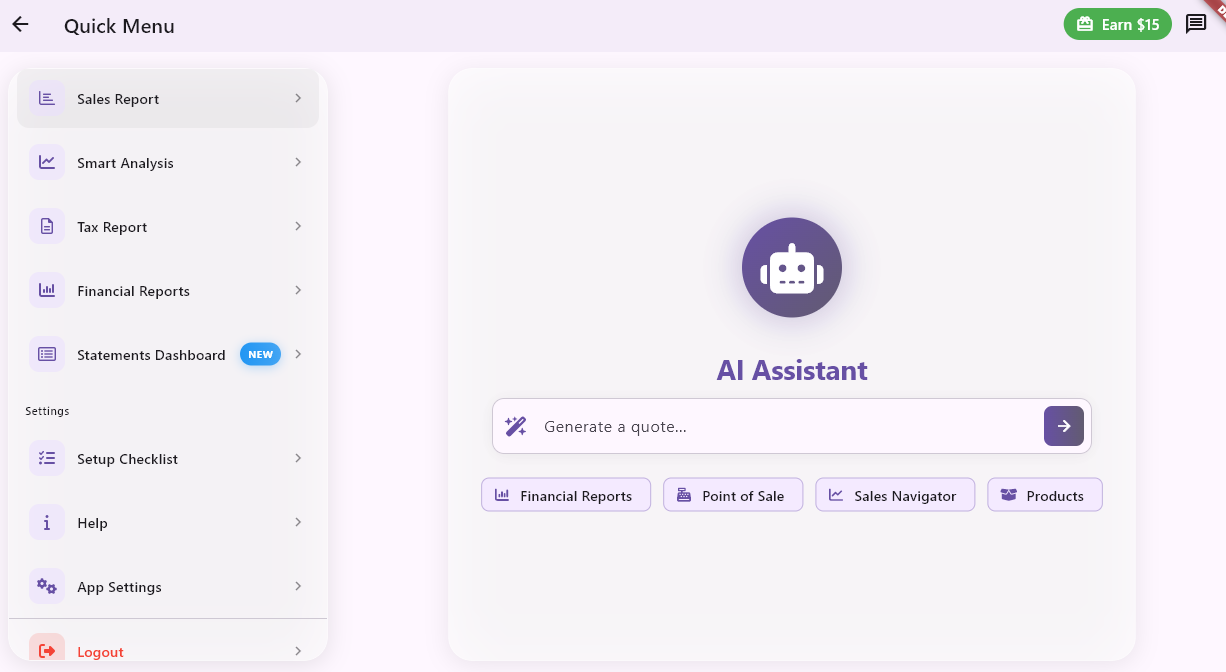
Records checklist when requesting a report
Step 3

Track it, and get an email when it is ready

Your request runs in the background. Follow each stage: request received, reading your records, calculating, saving. When it is done you get an email, and you can view, explore or download the report.
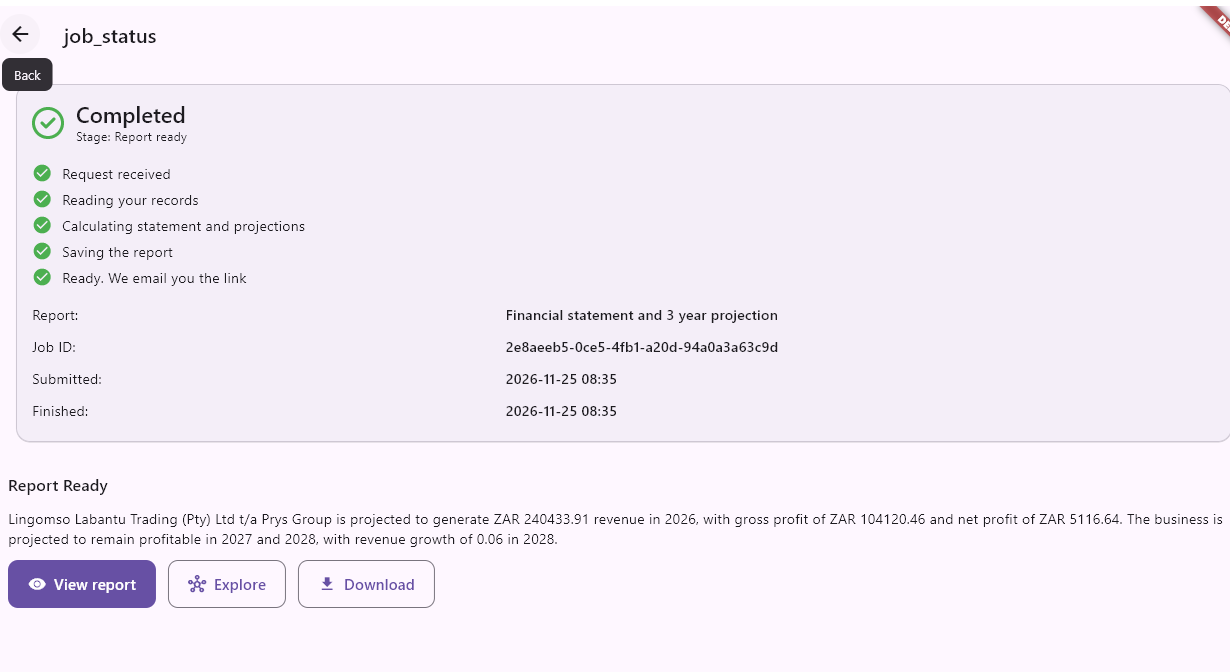
Completed report request with view, explore and download buttons
Step 4

See where your money goes

The money flow shows revenue coming in and flowing out to cost of sales, salaries, rent and other costs, with net profit at the end. Tap any bar to see its amount and share. Pick a year or any range of months.
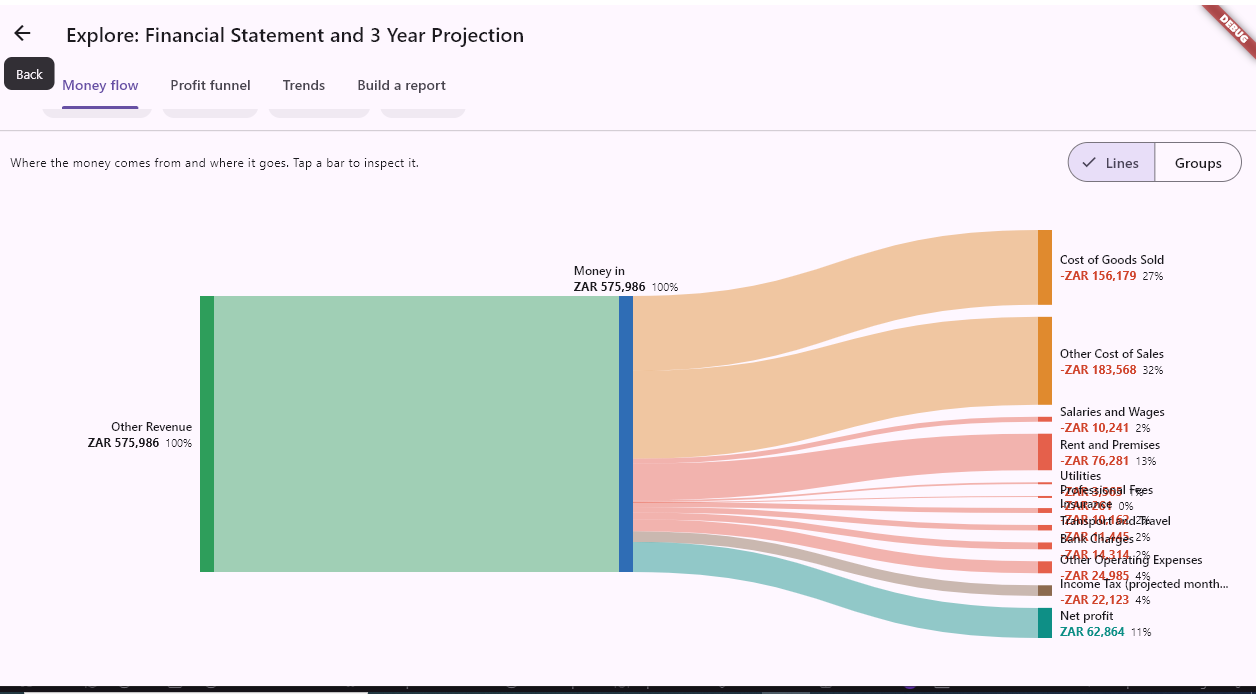
Money flow from revenue to costs and net profit
Step 5

Check the trends

Plot revenue, costs and profit over the 3 years. Solid lines come from your records, dashed lines are projected, and a marker shows today. Margins and totals update as you change the period.
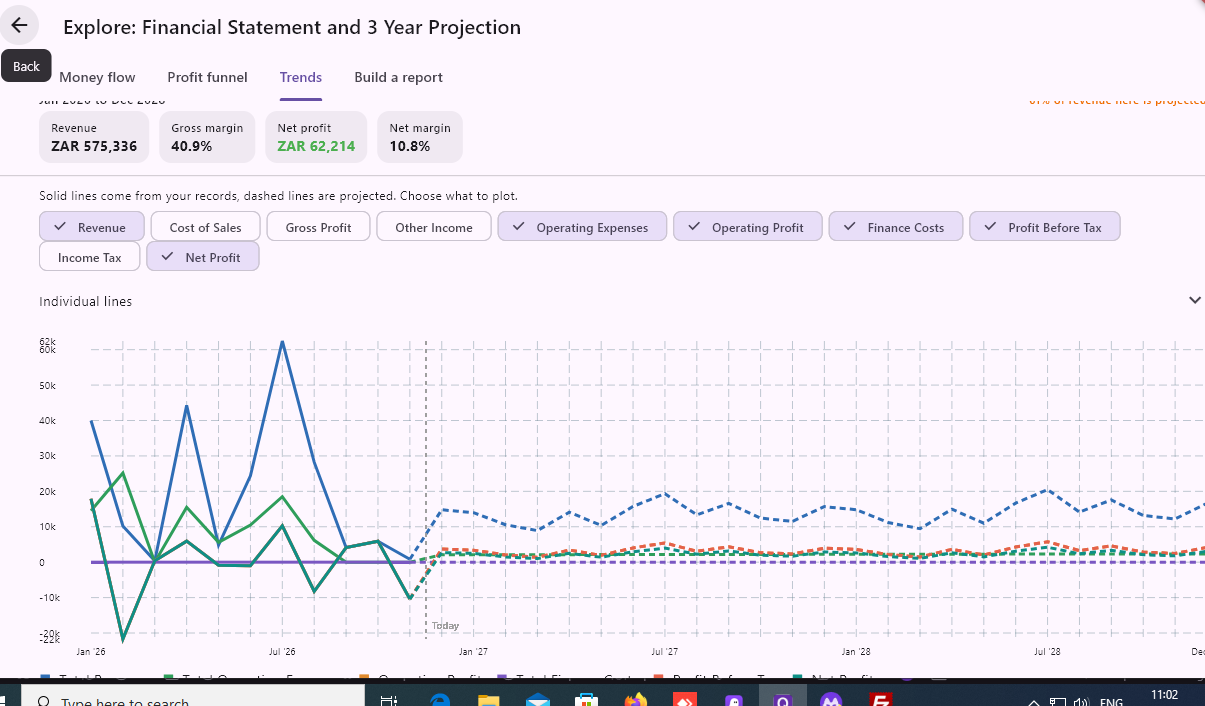
Trends with recorded and projected months
Step 6

Build the view a funder asks for, then download

Choose the lines you need and group them by month, quarter, year or total. Copy the table into a spreadsheet or save it for later. Download the full report as Excel, PDF or CSV, with every month or year totals only.
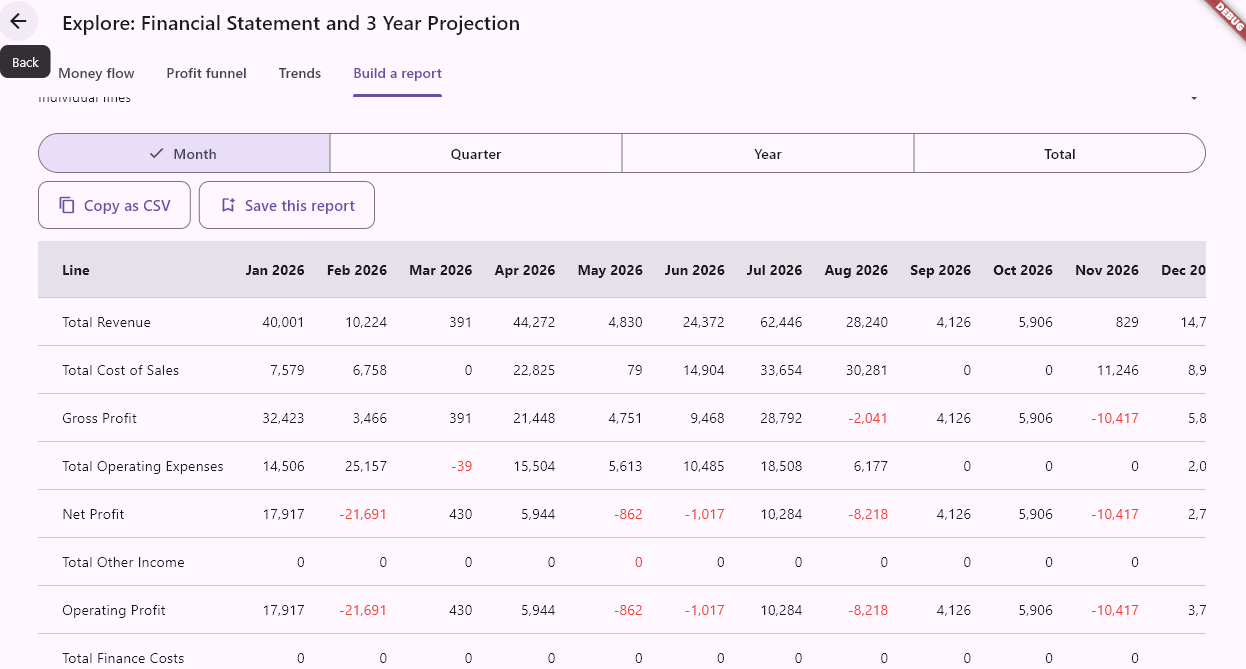
Custom report grouped by month
Why you can rely on it

Numbers you can explain in a pitch

Funders ask how you got your figures. With Quick Accounting the answer is simple.

From your own books

Real months come straight from the invoices, expenses and bank statements you captured. Nothing is typed in again.

Calculated, not guessed

Every figure is calculated by a fixed algorithm with its assumptions written out. AI never produces the numbers; it only helps with the wording.

Real and projected kept apart

Projected months are marked in every table, chart and download, with the growth and cost assumptions written out.

Checked against the funder

Funding packs check the funder's published limits, such as age and turnover, against your records and show what you still need to confirm.

Funders make their own decisions and may also ask for bank statements, tax documents or signed financial statements. Quick Accounting reports support your application; they do not replace documents a funder requires.

Your numbers are your strongest application

Start capturing today. When the funding window opens, your statements and projections are one click away.

Start free Back to the Funding Hub